A good cup of coffee starts with a clean machine. Whether you’re a coffee connoisseur or just a casual drinker, keeping your Breville coffee machine in tip-top shape is essential to brewing the perfect cup every time. When your “CLEAN/DESCALE” light is blinking, , follow these steps to clean your Breville coffee machine, so you can enjoy your favorite brew without any worries:
Prep & clean time: 15 minutes
- Fill up the water tank to the max.
- Empty the drip tray.
- Switch portafilter to a single cup
- Locate rubber disk and cleaning tablet (included with your cleaning kit). You can purchase more Breville Espresso Cleaning Tablets here.
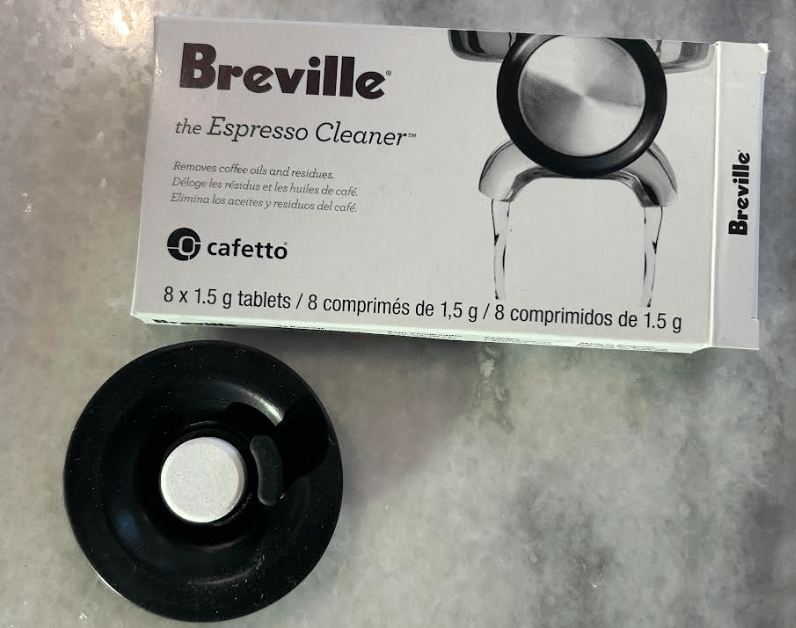
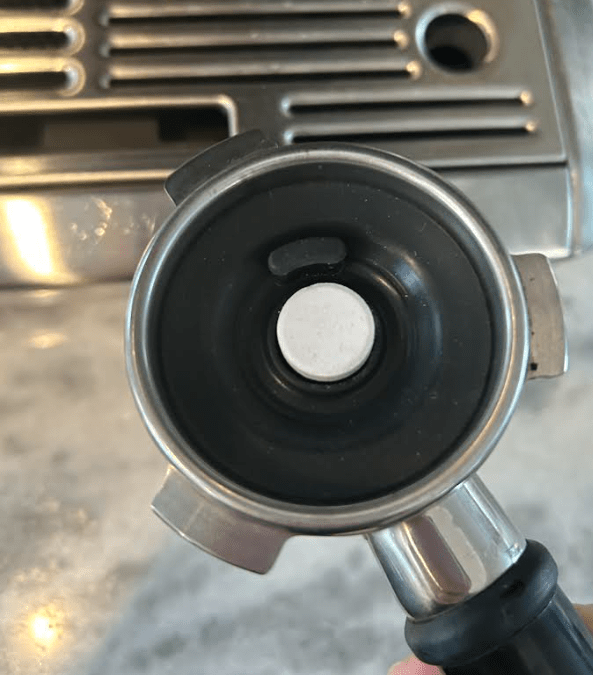
5. Place rubber disk and tablet in a single filter. Attach the portafilter to the lock position.
6. Press and hold: power, single, and double shot buttons (all at the same time). You will see the pressure rising indicating that the clean cycle has started.
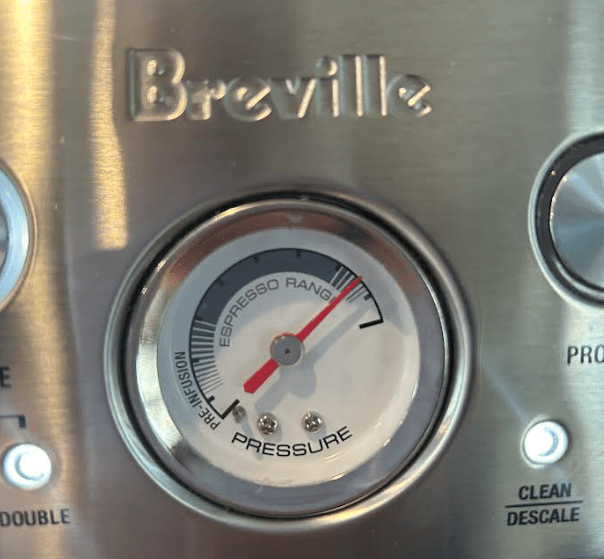
7. Wait for the clean mode to run it’s course (about 5-7 minutes). If the table is not fully dissolved run it again.
Maintenance Tips
To keep your Breville coffee machine in top condition, here are a few maintenance tips to follow:
- Clean the machine after every use
- Regularly descale the machine
- Use filtered water to avoid mineral buildup
- Store the machine in a dry, dust-free environment
In conclusion, cleaning and maintaining your Breville coffee machine is essential to brewing a great cup of coffee. By following these tips and tricks, you can keep your machine in tip-top shape and enjoy your favorite brew every day.
Some of the links may be affiliates links, which means we may receive a small commission when you click through or purchase through the link. We only recommend products that we have tried, tested and loved!
 My Chunk of Change